View and Manage Your ServiceCore Subscription
Last updated: November 23, 2026
Your ServiceCore subscription is what keeps your account running, so it helps to know what you’re paying for and where to find the details.
Having this information means no surprises on your invoices and less time spent tracking down answers when you have a billing question.
Before You Start
Here are a few things to know before you continue:
Only Account Owners can see the Billing section in your account's Settings and update the billing information for your subscription.
Only Account Owners will receive invoices and payment confirmation emails.
Only Account Owners (and anyone they designate) can receive a copy of their contract and its details.
Updates to your billing information apply to your next billing cycle.
Checking the "Show User on Schedule" box in a user's profile designates them as a Driver and will increase your monthly subscription amount.
View Your Contract Details
Your signed agreement with ServiceCore is the official record of your subscription. It lists the details your billing is built on, so it's the best place to confirm what you've agreed to.
Your agreement includes details like:
Your contracted driver count, which is the minimum billing level for your subscription.
Your pricing, including the fees for your plan.
Your renewal terms.
A copy of your signed agreement was sent to you when you first signed up with ServiceCore, but if you can't find it or need an additional copy, please submit a request to our Support team by using the chat widget in your account or by sending an email to support@servicecore.com.
ServiceCore reviews your subscription pricing on an annual basis as outlined in your service agreement.
If your subscription amount changes at renewal (and therefore your monthly invoiced amount is different than the previous year), that's due to our contracted review rather than a billing error. Account Owners are notified by email in advance of any renewal-based change.
Update Your Billing Information
The Billing section in your account's Settings is where you can check the card used for your subscription.
Keeping your card and billing address up to date helps you avoid interruptions to your subscription. Account Owners can update this information at any time.
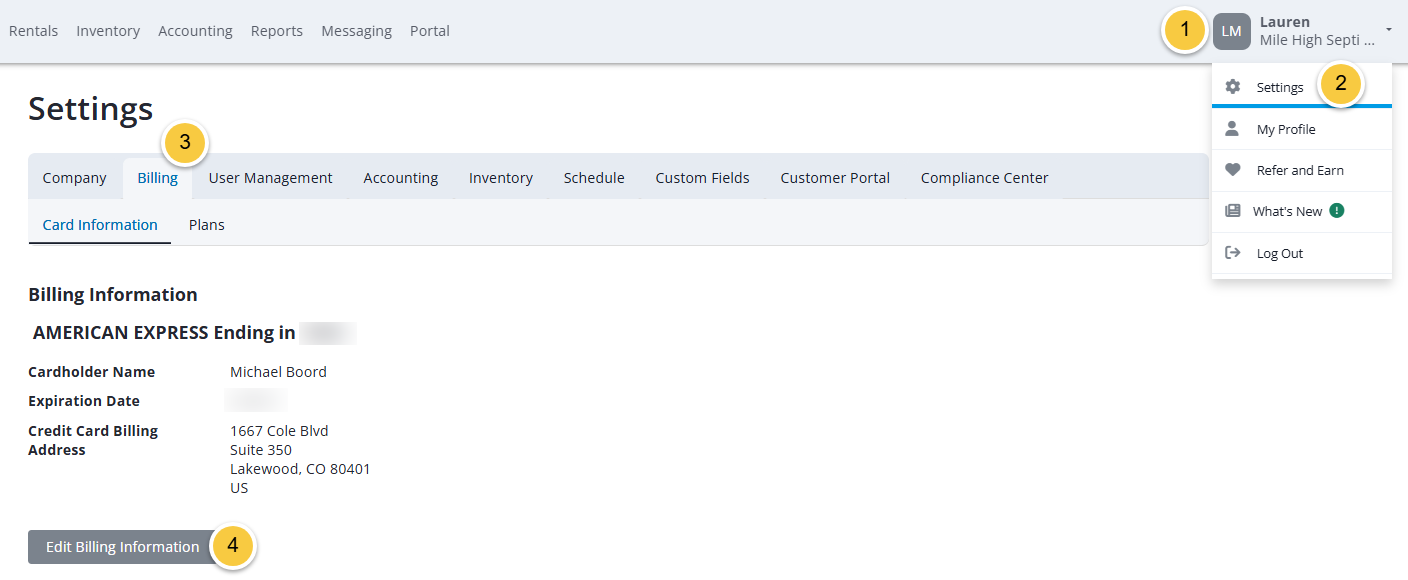
To update your billing information, follow the instructions below:
Click on your name in the top right corner.
Click on “Settings”.
Click into “Billing”.
Click on “Edit Billing Information”.
Enter the updated information.
Click “Save”.
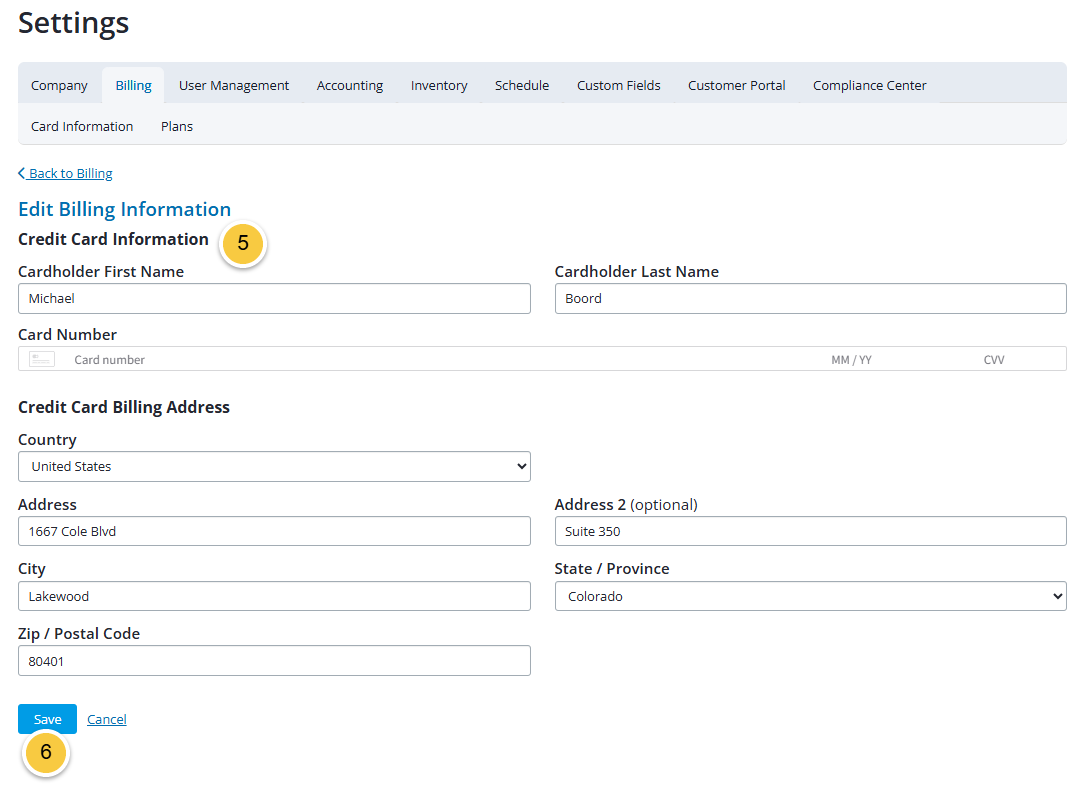
You’ll now see your updated billing information that'll be used starting with your next billing cycle.
Review Your Monthly Invoices
Your invoices are emailed to you each time you’re billed or your subscription changes (like when adding/removing a driver and receiving a prorated charge/credit). Keeping those emails handy gives you a record of what you were charged and why.
Each invoice also contains a link to view it online and download or print a copy of the PDF.
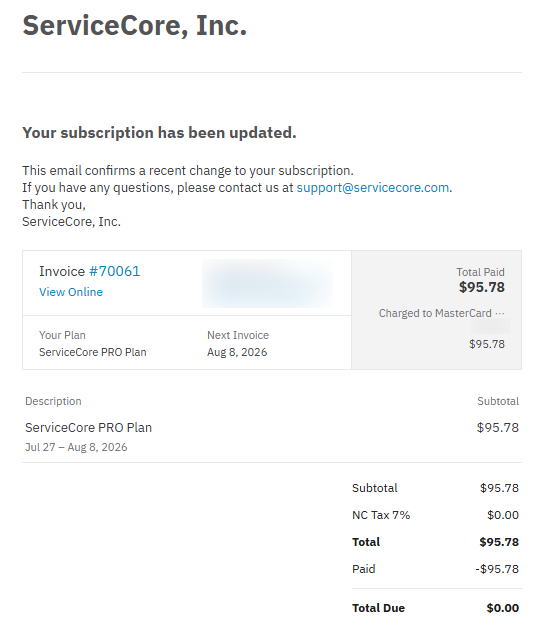
If you need a copy of a specific invoice or want to view your full invoice history, please submit a request to our Support team by using the chat widget in your account or by sending an email to support@servicecore.com.
How Drivers Affect Your Bill
Your ServiceCore subscription is partly based on the number of drivers (technicians) in your account. When you add or remove drivers, your monthly bill adjusts to match based on your minimum contracted amount.
A user counts as a driver when the "Show User on Schedule" box is checked in their profile while users without this box checked in their profile don't count against your subscription as drivers.
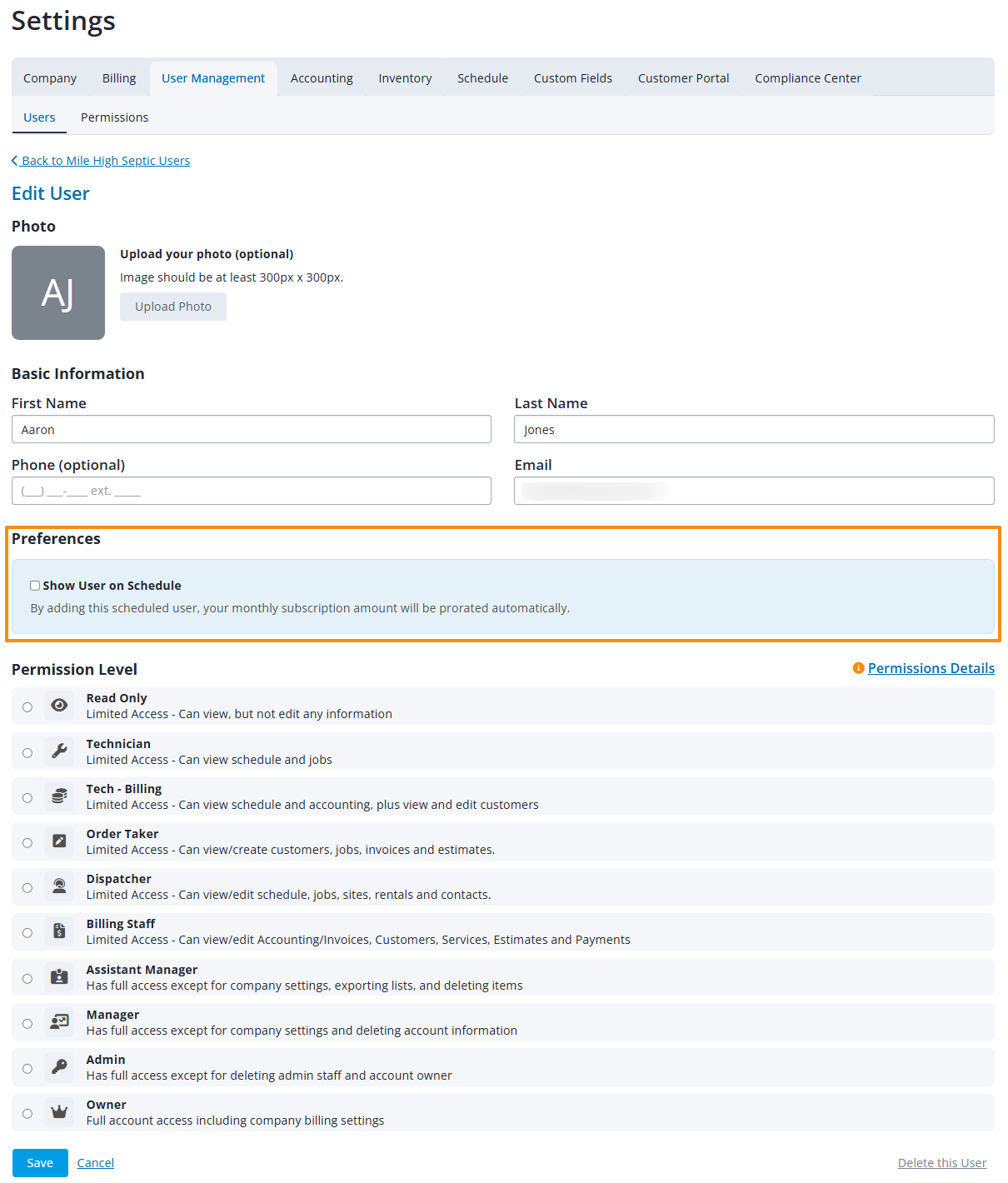
Your contract sets the minimum number of drivers you pay for each month. If you add more drivers than that minimum, your monthly price increases.
The extra charge is prorated for the rest of your current billing cycle, so you’re only charged for the time the additional driver is active.
TIP: Look for your contracted driver count in the pricing section of your agreement and compare that number to the amount of user profiles flagged as "In Schedule" in the Users section of your account.
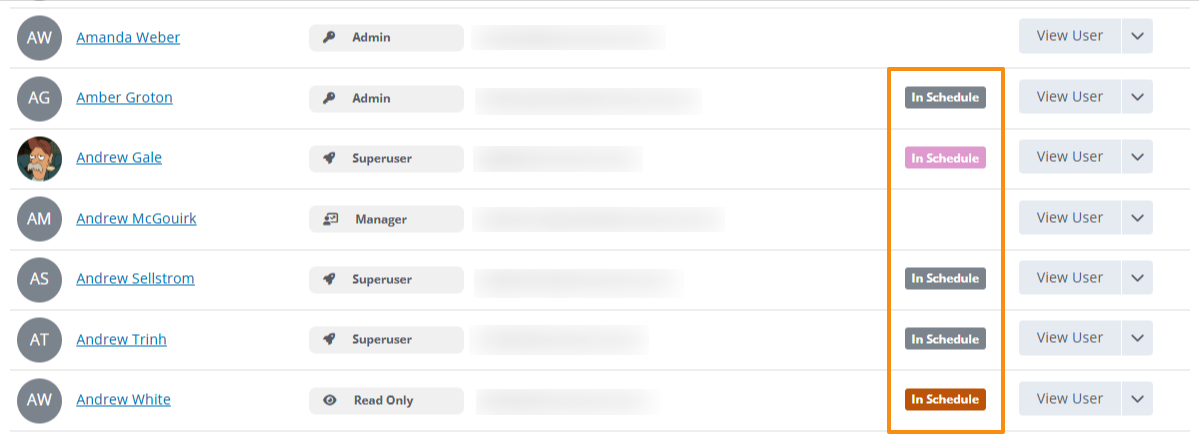
If you remove drivers, (either by unchecking the "Show User on Schedule" box, deactivating their profile, or deleting them completely) your bill can decrease IF you're still over your minimum contracted amount after removing them. You’ll receive a prorated credit for the time the driver isn't active that's applied to your next invoice.
You’ll always pay at least your contracted minimum, even if you have fewer drivers than that in ServiceCore. Your contracted minimum stays the same until your contract renews.
For example, if your contract includes 3 drivers and you add a 4th driver, your bill increases for the rest of that billing cycle. If you later remove that 4th driver, you’ll go back to paying for 3 drivers and receive a prorated credit on your next invoice.
If you then remove another driver, bringing your total down to 2, you’ll still pay for the 3 drivers in your contract.
Please Note: Lowering your contracted driver count permanently is a change to your agreement which isn't something that can be done by removing drivers in your ServiceCore account. These changes are typically handled when your subscription renews.
If you have any questions, please reach out to our Support team through the chat widget on the bottom of this page or by sending an email to support@servicecore.com!