Send Estimates for Online Approval with Terms & Conditions
Last updated: November 10, 2026
ServiceCore allows you to send estimates to customers and have them review and approve them online. This helps you capture customer approval faster and maintain a clear record of when an estimate was accepted.
When an estimate is approved online, ServiceCore will automatically:
Update the estimate stage to Approved
Record who approved the estimate
Record the date and time of approval
Notify the owner (or estimate creator if no owner is assigned), as well as the contact email on the estimate
Customers can also be required to agree to your Terms & Conditions before approving an estimate.
Send an Estimate for Approval
Go to Estimates
From an Estimate's Actions, click Email Estimate
Review the recipient email address(s)
Click Send Email
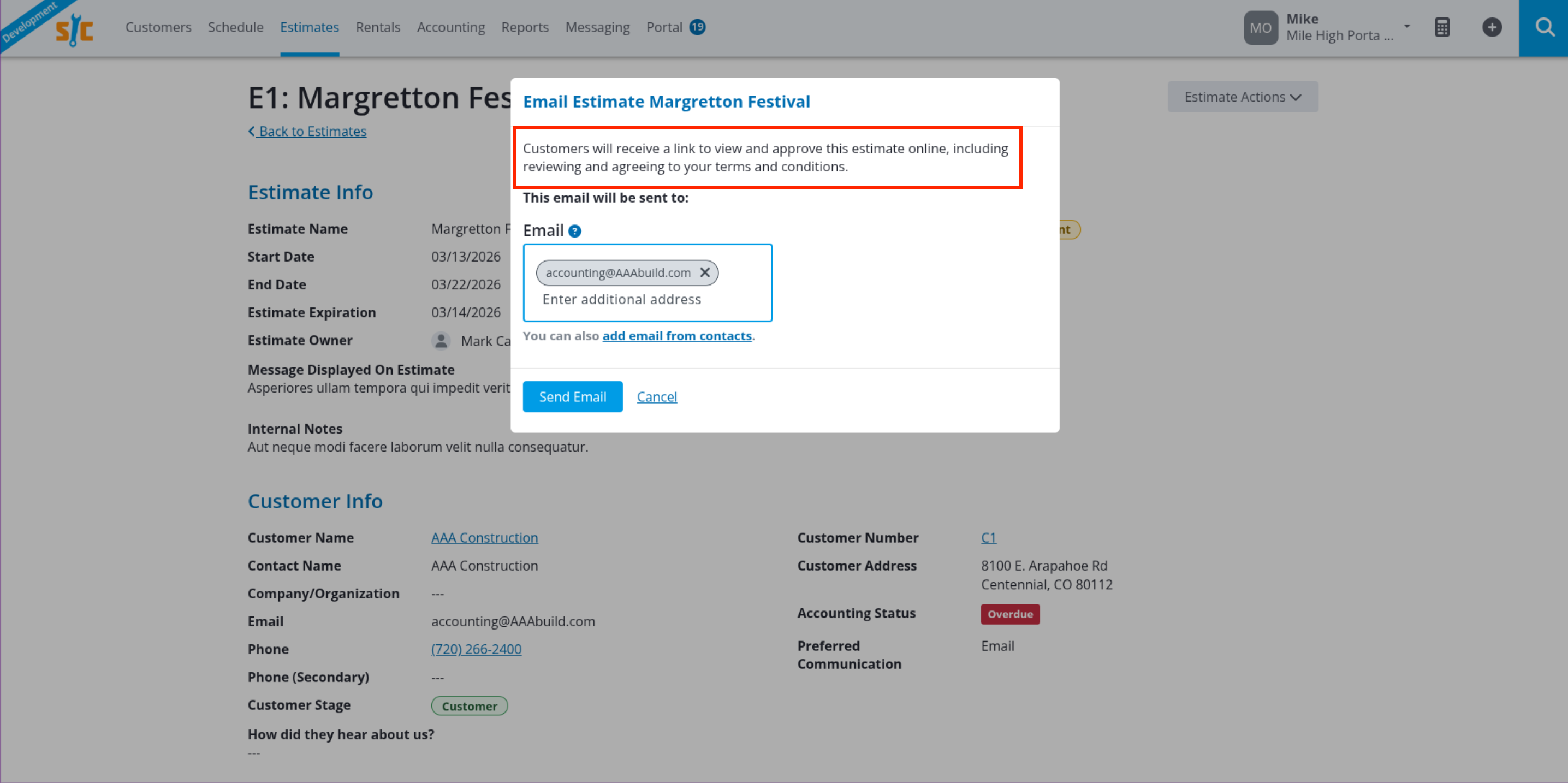
Customers will receive an email with a link to View and Accept Estimate.

Customer Approval Process
When the customer opens the link, they can:
Review the estimate details
Enter their name
Agree to your Terms & Conditions (if enabled)
Click Approve Estimate
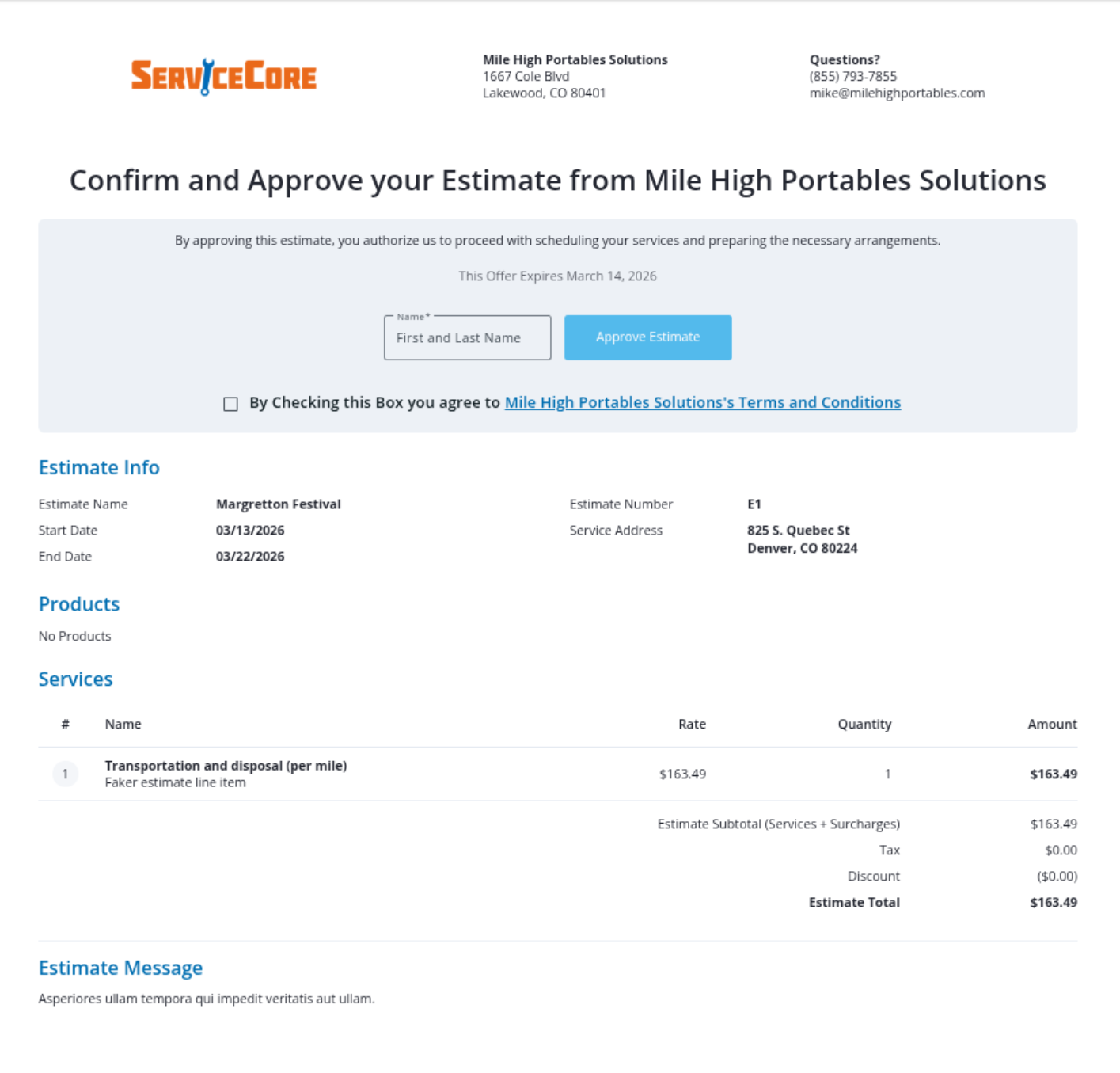
Once approved, the estimate will be marked Approved in ServiceCore.
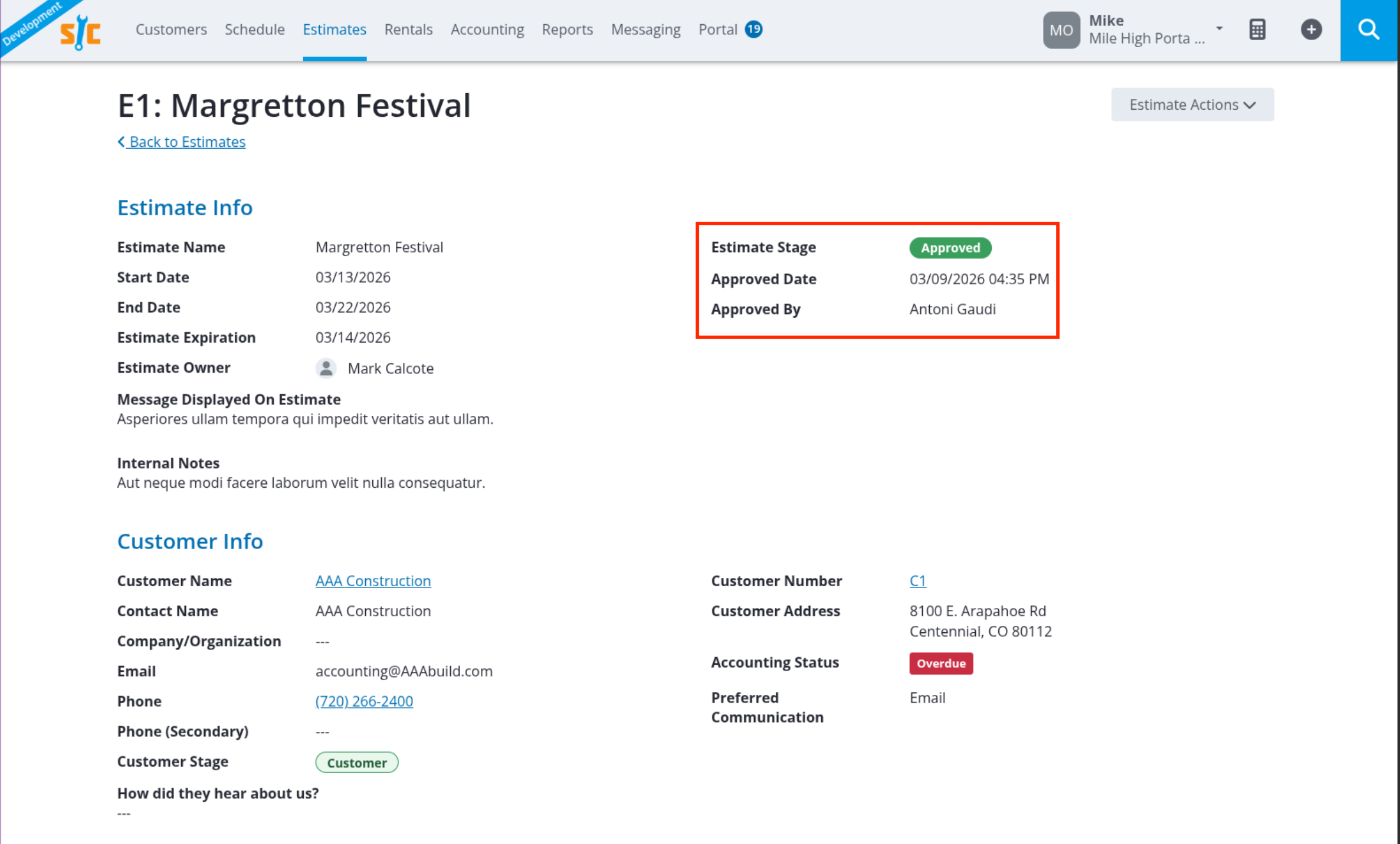
Viewing Approved Estimates
After Approval, ServiceCore will show:
Estimate Stage: Approved
Approved Date: When the estimate was approved
Approved by: The name entered by the customer
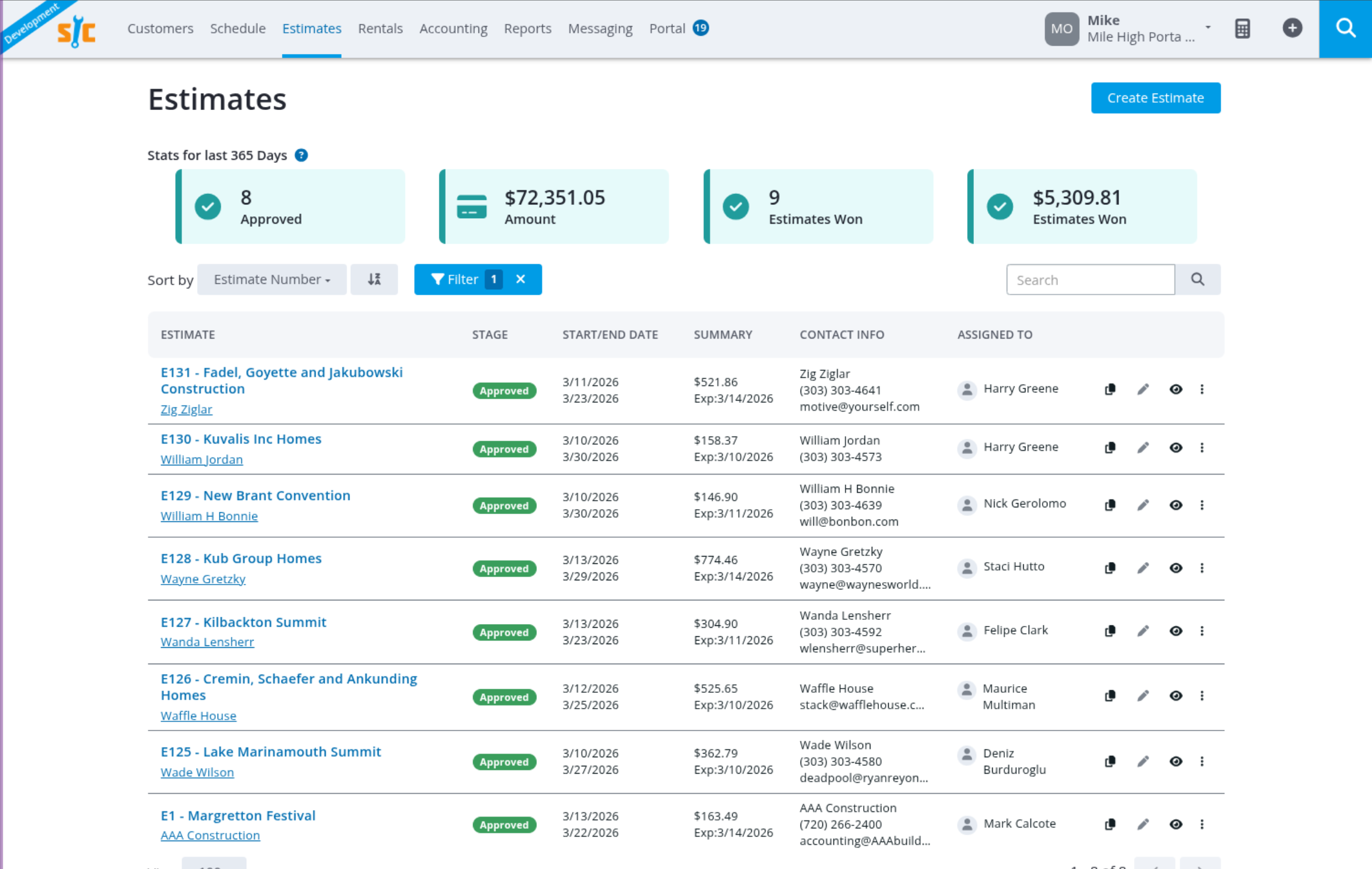
You can filter the Estimate page by Approved to quickly find estimates that have been accepted.
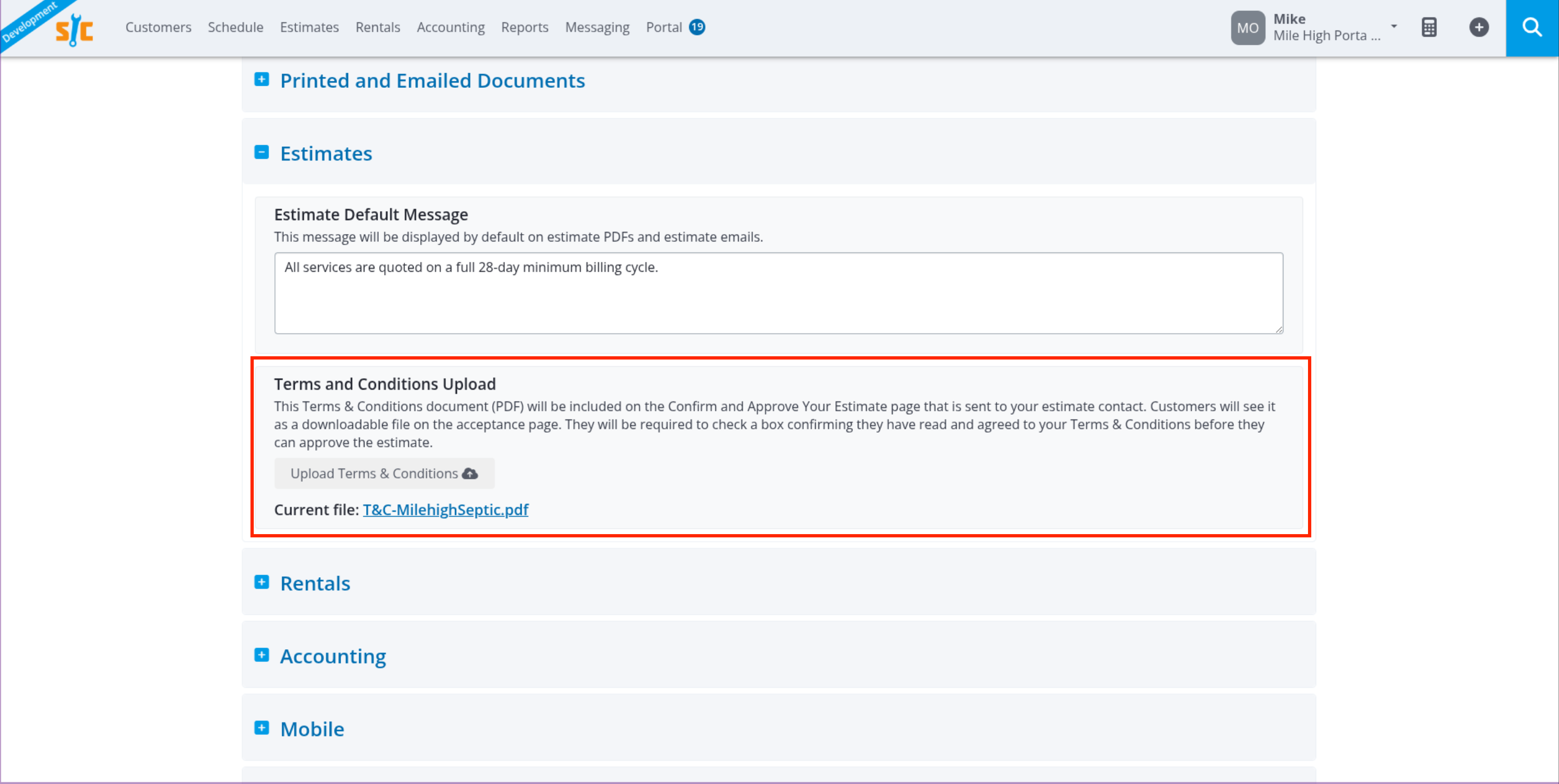
Adding Terms & Conditions
You can require customers to agree to your Terms & Conditions before approving an estimate.
Go to Settings
Select Company Preferences
Expand Estimates
Upload your Terms & Conditions document
Customers will need to agree to your Terms & Conditions before approving the estimate.