Log Into Your ServiceCore Account
Last updated: November 24, 2026
Wondering how to log into your ServiceCore account? Look no further!
Before You Start
Here are a few things to know before you get started:
Only Account Owners and Admins can add users and (re)set passwords.
You need to be added as a User to an active ServiceCore account in order to set up your password and log into ServiceCore.
You must have a valid working email address in your profile in order to receive the invite email and set up your password.
Users with the Technician and Tech - Billing permission levels are usually Drivers (Technicians) who need to log into ServiceCore mobile app to complete their assigned jobs. Please use this article to help them log into the app.
Set Up Your Password
After your Admin or Account Owner adds you as a user to their ServiceCore account, you'll need to set up a password before you can log in.
If a Valid Email Address Wasn't Used
If a valid working email address wasn't used when adding you as a new user, you won't receive ServiceCore's invite email with instructions on setting up a password and logging in.
Your Admin or Account Owner must set up a password for you manually in your profile and give it to you. Please reach out to them if you need assistance.
If a Valid Email Address Was Used
If a valid working email address was used when adding you as a new user, you'll receive an invitation email from ServiceCore with instructions on how to set up your password.
Please Note: You must accept the invitation and set up your password within 7 days of being added.
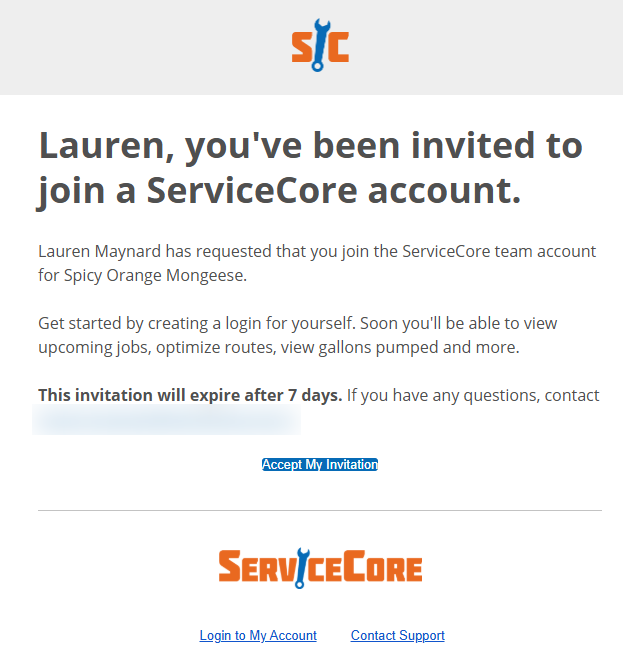
After clicking “Accept My Invitation” in the email, you'll create your password and click the “Reset Password” button.
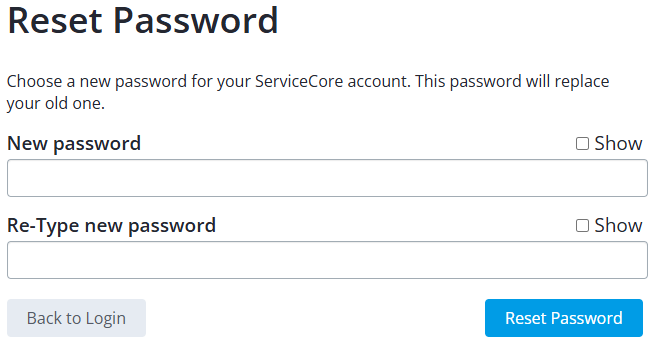
The page will automatically refresh back to ServiceCore's login page, where you can enter your username + password combo to log in.
Log Into ServiceCore
Once your password has been set up, you can log into your ServiceCore account by following the instructions below:
Click on app.servicecore.com or paste it into a new browser tab.
Enter your Email Address and Password.
TIP: Check the box next to "Show" to confirm what password you're typing.
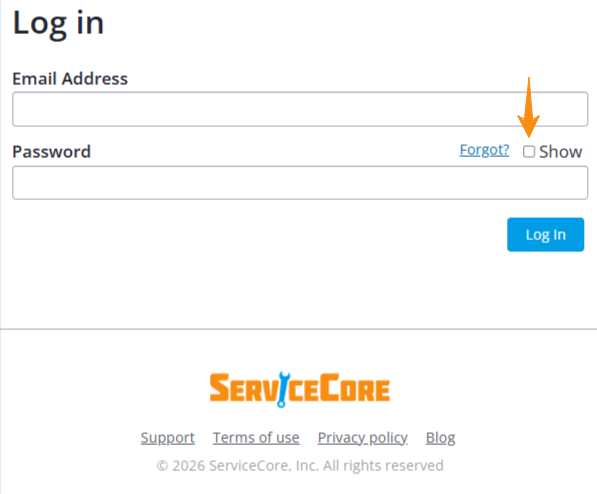
Click "Log In".
TIP: If you don't remember your password, click on "Forgot?" and enter the email address associated with your ServiceCore account. You'll receive an email with instructions on resetting your password!
If you have any questions, please reach out to our Support team through the chat widget on the bottom of this page or by sending an email to support@servicecore.com!